


A new way to view measures on OpenPrescribing Hospitals
- Posted:
- Written by:
- Categories:
This post is part of a series: OpenPrescribing Hospitals: Measures
- Introducing OpenPrescribing Hospitals measures
- Highlighting variation in hospitals medicines usage
- Low value medicines in OpenPrescribing Hospitals
- A new way to view measures on OpenPrescribing Hospitals
View all posts in OpenPrescribing Hospitals: Measures series →
We have updated the way measures are displayed on OpenPrescribing Hospitals, based on user feedback, to make it easier to: find measures you are interested in, see how your trust is doing across different measures, and make comparisons between different trusts. Here we describe the changes we’ve made.
Your feedback on OpenPresrescribing Hospitals Measures
At the time of writing, we have 15 measures on OpenPrescribing Hospitals. Two common questions we have had about how these measures are presented are:
- How can I see how my trust is doing across all measures?
- How can I compare all trusts for a measure I am interested in?
With the number of measures growing, it was time to think about how we could make answering these questions easier.
View all measures for a single organisation
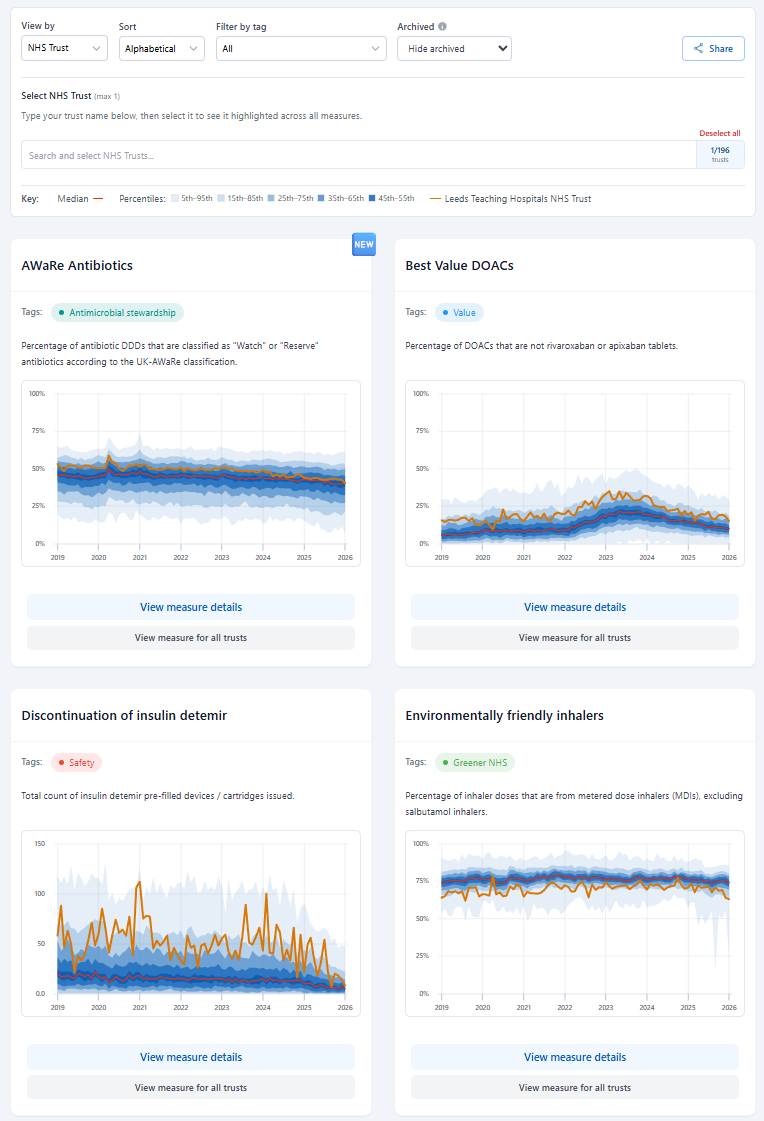
You can now view all measures on a single page, nationally, as well as by NHS region and NHS Trust. Additionally, you can select a trust you are interested in to see trends across all measures for that trust.
In the screenshot below, you can see the first four measures for Leeds Teaching Hospitals NHS Trust (orange line). The red line is the median across all trusts and the blue shaded areas represent percentile ranges (we’ve written more about percentile charts here).
View a single measure for all trusts
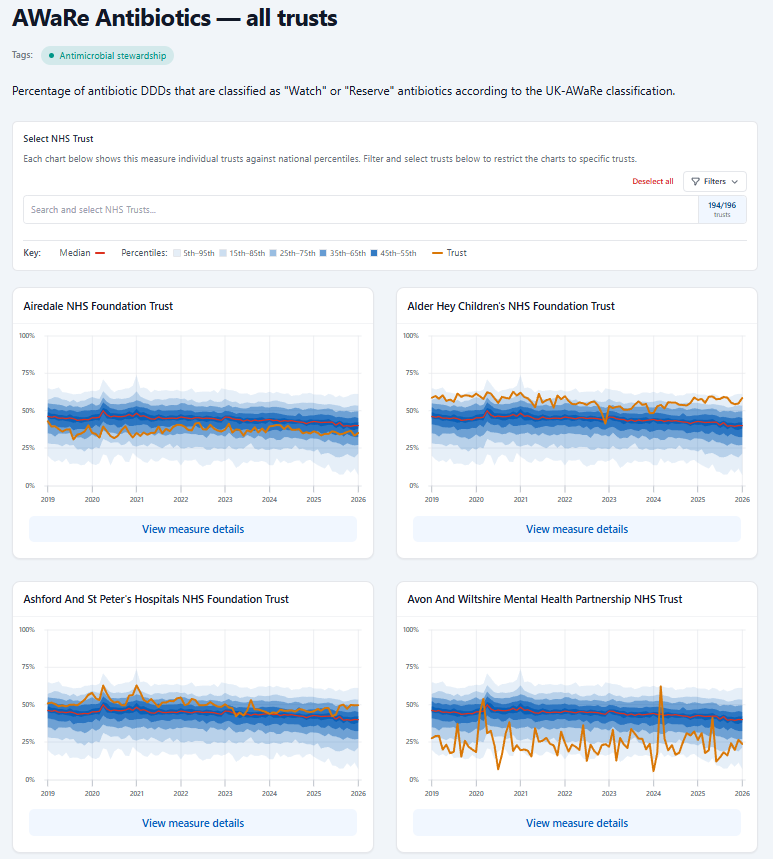
At the bottom of each measure in the screenshot above, there is an option to View measure for all trusts. Below is an example for one of our new antimicrobial stewardship measures (which you can read more about in our post, New OpenPrescribing Hospitals Antibiotics measures).
View a single measure for a selection of trusts
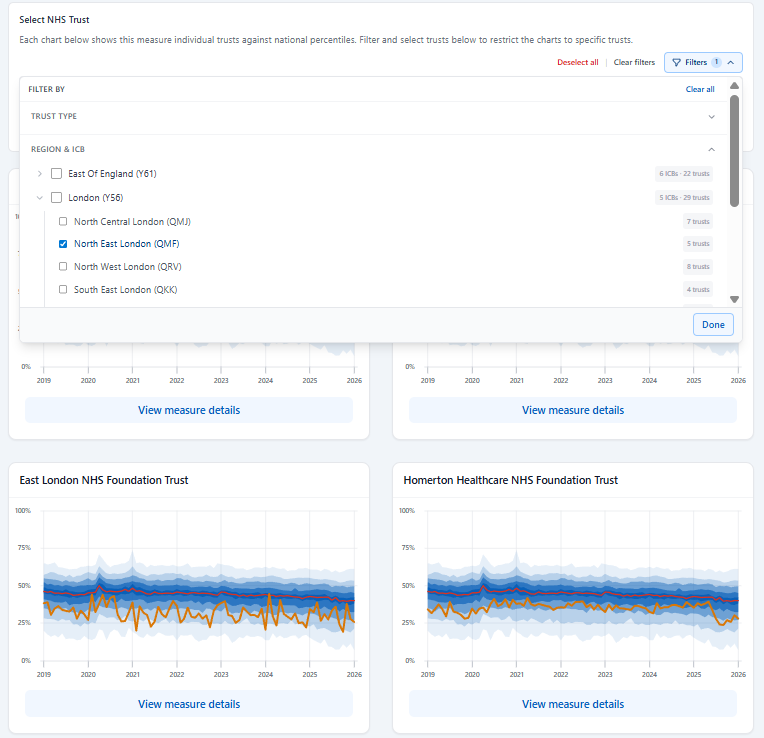
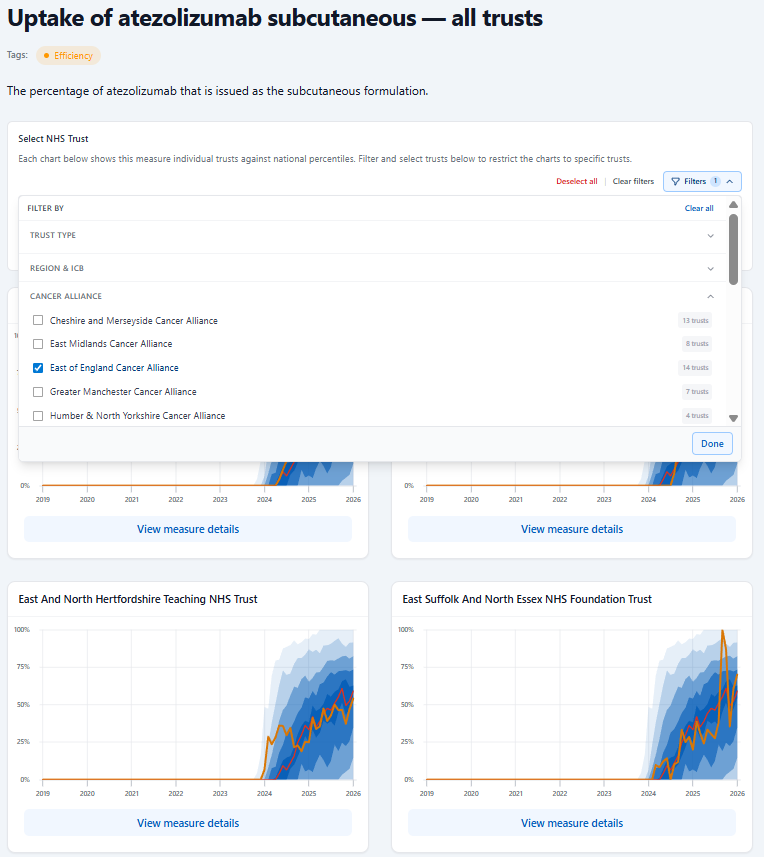
Users can further refine their selection to view a specific measure across a group of trusts. Filters at the top of the charts allow results to be narrowed by trust type, ICB, region, or Cancer Alliance
The example below shows the AwAre antibiotics measure for hospital trusts in North East London ICB.
The next example shows the uptake of subcutaneous atezolizumab in hospital trusts partnered with the East of England Cancer Alliance.
Measure tags
We categorise measures based on themes such as safety, value and efficiency to make it easier for users to browse and filter measures relevant to their interests or needs. You can now filter measures using these tags. For example, you can filter to all antimicrobial stewardship measures. Tagged measures can be shared with colleagues or the URL could be a standing item in a meeting to refer back to.
Archiving measures
We want to keep the measures we show on OpenPrescribing Hospitals relevant to current clinical practice, but we recognise that measures that are no longer clinically relevant can be a useful resource for understanding improvement efforts. To support this we have introduced archiving to measures.
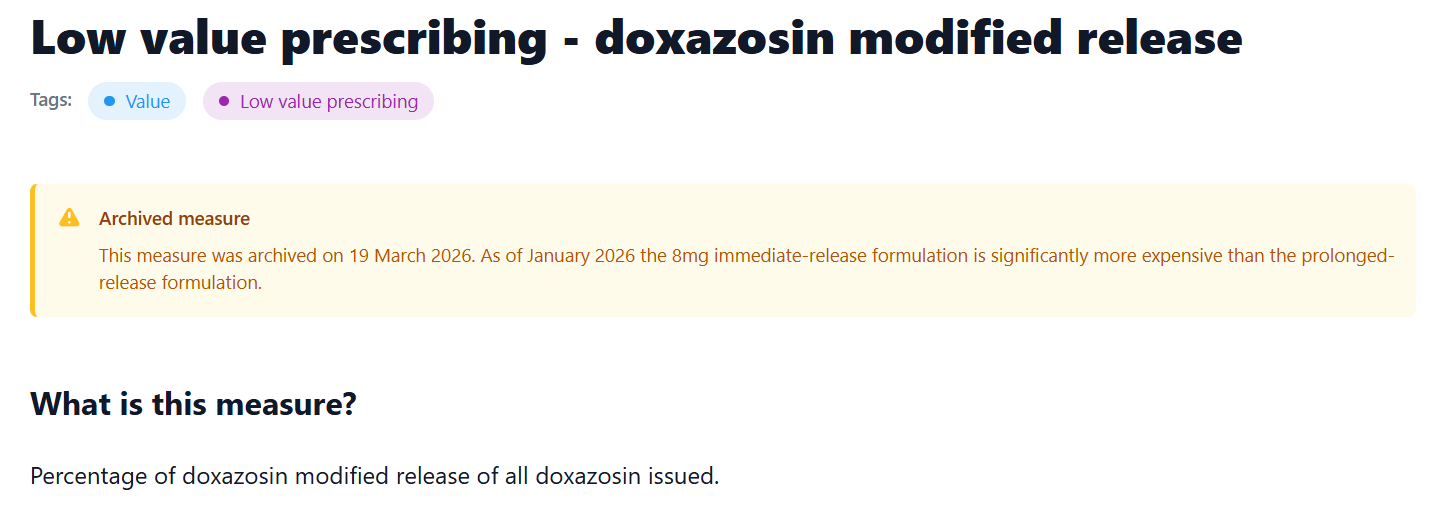
Archived measures are measures that are no longer recommended for use due to changes in the guidance, evidence or national priorities underpinning them. Archived measures are hidden by default, but can be viewed using the Archived dropdown on the measures page.
Each archived measure includes a description of why it was archived.
Call for more measures and feedback
We are looking for more measures for OpenPrescribing Hospitals. The measure should be based on national guidance and be achievable using medicines data alone. Please share any comments or feedback with us. We would also be happy to join short calls, team meetings etc if you would prefer to give discuss ideas in this manner.